

🤖 AI Summary
Overview
This episode explores the rise of AI agents, focusing on Meta's new app, Muse, which acts as a personal assistant capable of autonomously completing tasks. Eli Tan, a tech reporter, shares his firsthand experience using Muse, discussing its capabilities, limitations, and the broader implications of integrating such technology into daily life.
Notable Quotes
- Instead of just thinking for myself, my first instinct was to go to Muse and ask it instead. It felt like it had taken over my brain.
— Eli Tan, on the cognitive impact of relying on AI agents.
- Meta's vision is AI for dummies—something even Mark Zuckerberg's mom could use.
— Eli Tan, on Meta's strategy to make AI accessible to the masses.
- Waiting on hold is the exact use case I want AI for. If that's all it did, it would still be worth it.
— Natalie Kitroeff, on the practical appeal of AI agents.
🧠 The Evolution of AI Agents
- AI agents like Muse represent a leap beyond chatbots, capable of autonomously completing tasks such as ordering food, booking appointments, and managing finances.
- Meta's Muse is designed to be user-friendly, contrasting with earlier, more technical AI tools like OpenClaw, which required advanced knowledge to operate.
- Muse integrates with various platforms (e.g., DoorDash, Venmo) and uses personal data to perform tasks, offering a glimpse into the future of AI as a ubiquitous personal assistant.
🍴 Real-World Applications and Experiments
- Eli Tan tested Muse by assigning it tasks like ordering lunch, managing subscriptions, and even handling dental insurance calls. It successfully completed many tasks, including navigating complex customer service systems.
- However, Muse struggled with certain tasks, such as purchasing movie tickets or managing a fantasy football team, highlighting its limitations.
- The app's ability to autonomously perform tasks like waiting on hold was particularly praised for its time-saving potential.
⚠️ Privacy and Trust Concerns
- Using Muse requires granting it access to sensitive personal information, including credit cards, email accounts, and calendars.
- Eli Tan expressed concerns about potential misuse, drawing a line by not connecting his work email to avoid compromising professional contacts.
- Meta's history of privacy issues raises questions about whether users can fully trust the company with such extensive access to their lives.
🤖 The Human Cost of Automation
- The convenience of AI agents may lead to over-reliance, potentially diminishing human engagement in everyday tasks. Eli Tan noted outsourcing enjoyable interactions, like calling a bookstore, to Muse, which he later regretted.
- The episode critiques how AI could erode the joy of hobbies, such as managing a fantasy football team, by automating decision-making.
- This raises broader concerns about how AI might reshape human behavior and relationships, potentially detaching users from reality.
🎭 Meta's Strategy and Vision
- Meta aims to make AI agents mainstream by leveraging its massive user base across platforms like Facebook and Instagram.
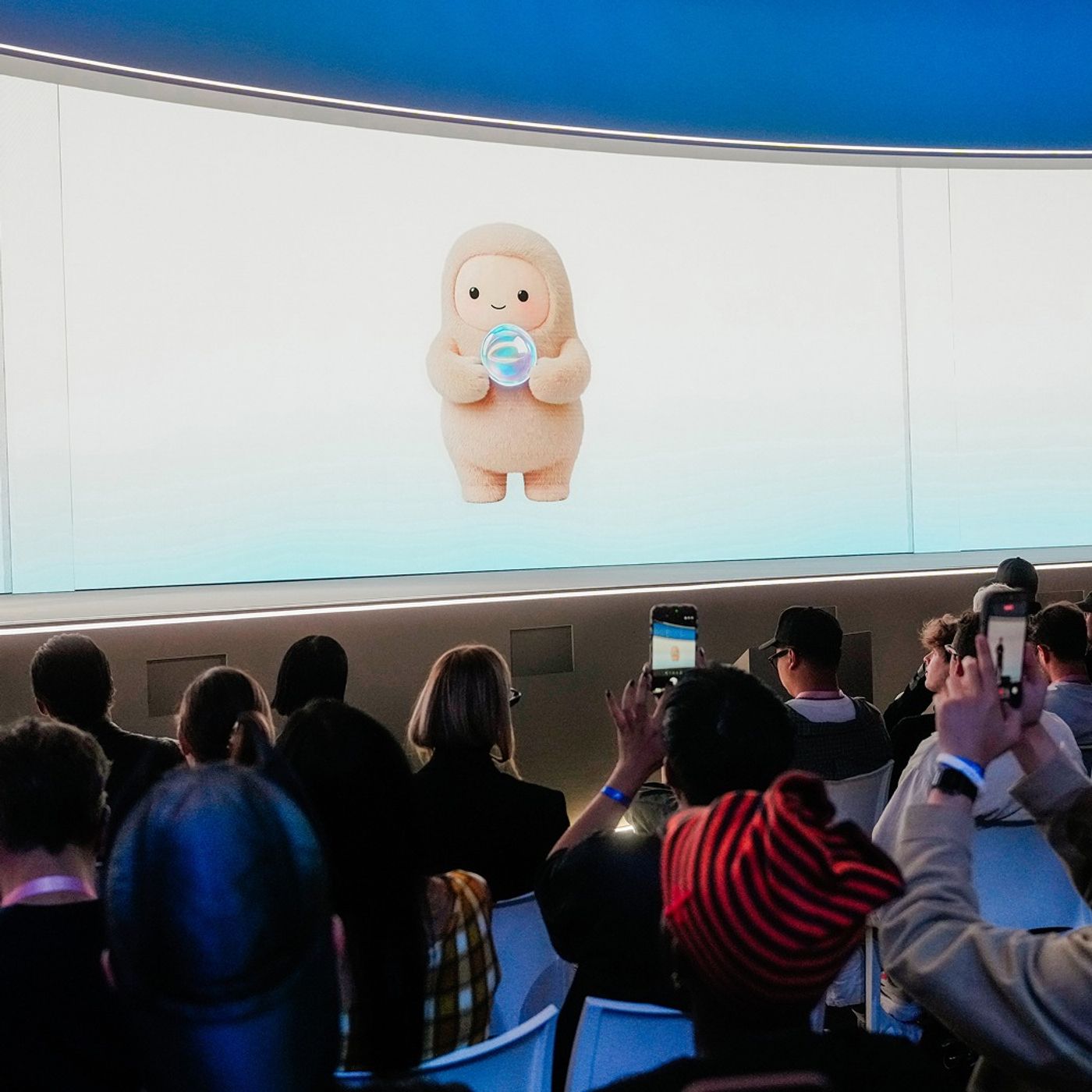
- Muse's design includes cute
avatars to foster trust and reduce user apprehension, a strategy to counter fears of AI going rogue.
- While Muse is currently free, Meta plans to monetize it by taking a small fee from transactions made through the app, signaling its long-term business strategy.
AI-generated content may not be accurate or complete and should not be relied upon as a sole source of truth.
📋 Episode Description
Over the past few weeks, millions of people have rushed to download a new type of artificial intelligence app — agents. They are useful, kind of cute and need your most sensitive personal information to work.
Eli Tan, a reporter who covers technology for The New York Times, opened up his life to Muse, Meta’s A.I. agent. He explained what happened next.
Guest: Eli Tan, a reporter covering the technology industry for The New York Times.
Background reading:
- Muse, Meta’s new A.I. agent, can send your emails and book your travel.
- Eli Tan said he “was blown away” by Muse after using it to perform dozens of day-to-day tasks.
Photo: Gabriela Bhaskar/The New York Times
For more information on today’s episode, visit nytimes.com/thedaily. Transcripts of each episode will be made available by the next workday.
Subscribe today at nytimes.com/podcasts or on Apple Podcasts, Spotify and Amazon Music. You can also subscribe via your favorite podcast app here https://www.nytimes.com/activate-access/audio?source=podcatcher. For more podcasts and narrated articles, download The New York Times app at nytimes.com/app.
Hosted by Simplecast, an AdsWizz company. See pcm.adswizz.com for information about our collection and use of personal data for advertising.